


Oxford Dictionary & Thesaurus
4.38.87K Reviews
App Specs
- Version
- 16.4.1182
- Updated On
- License
- Free
- Downloads
- 50,000,000+
- Developer
- MobiSystems
- Categories
- Books & Reference
- Platform
- Android, iOS
Screenshots
 Analysis by AppCompare
I reach for a dictionary most often when I already know what I want to say but can’t quite settle on the right word. That small pause can turn into a distraction if I have to leave my writing, open several tabs, and compare answers. Oxford Dictionary & Thesaurus brings word meanings and alternatives together in one place, making it a practical reference for everyday reading and writing. My overall impression is that it suits people who value a focused language tool more than a broad study platform.
Reading, searching, and finding your way
Let’s start with the basics. When you first open up the Oxford Dictionary & Thesaurus app, you’re greeted with a clean and straightforward interface. It’s not flashy, but it gets the job done without any fuss. The home screen offers easy access to both the dictionary and thesaurus functions, which is a huge plus for those in a hurry. I mean, who has time to waste when you’re trying to find just the right word?
For me, the value of a dictionary is not only whether it contains a word, but whether I can make sense of the entry quickly. Definitions, synonyms, antonyms, and example sentences help build a fuller picture than a bare one-line meaning. If I’m checking a word while reading, I can focus on what it means in context; if I’m drafting, I can look for a more precise alternative without switching to a separate thesaurus.
Look beyond the first definition
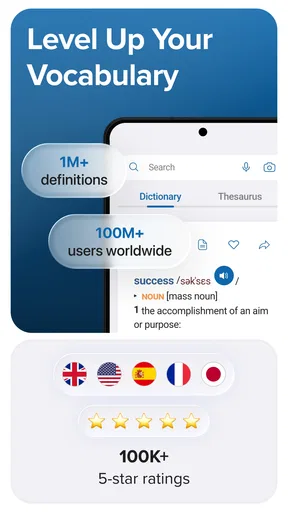
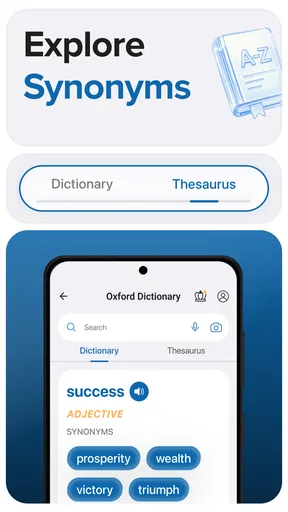
Now, onto the good stuff. The app boasts a vast database of words, which is exactly what you’d expect from something with the Oxford name attached. You’ll find definitions, synonyms, antonyms, and even example sentences that help provide context. This is super helpful when you’re trying to expand your vocabulary or just impress your friends with some fancy words.
A useful habit is to read the example sentence before settling on a synonym. Words that look interchangeable in a list can carry different tones or fit different grammatical patterns. I treat thesaurus suggestions as a shortlist, then check the definition and usage before replacing anything. That extra step is especially worthwhile in a school assignment, a work email, or a piece of writing where a near-match could change the meaning.
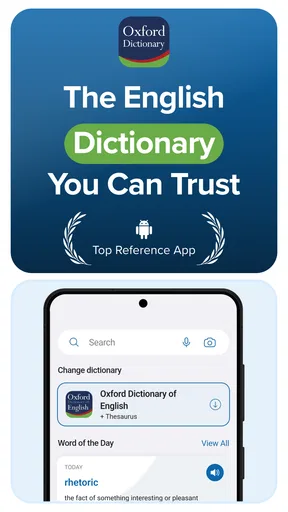
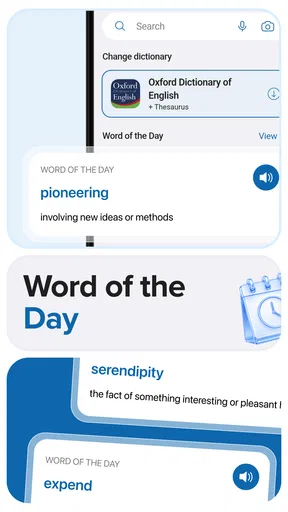
One feature I particularly enjoy is the ‘Word of the Day.’ It’s a neat way to learn something new daily and keep your language skills sharp. Plus, it’s a great conversation starter!
I’d use that daily prompt as a gentle learning nudge rather than a complete vocabulary course. A simple way to make it stick is to note the word and try using it in a sentence of your own, then check whether the app’s examples support the way you used it. That turns a quick glance into a small practice routine without requiring a separate study plan.
Worth Reading Before You Choose

Flipboard Shows What News Apps Must Do Beyond the Feed

Switching to Android Auto Means Rethinking Your Driving Routine

Google Calendar Makes a Crowded Week Easier to Manage

Ludo King Makes the Most of the Minutes Between Plans

Baby Panda World Brings Quick Play to Modern Phones, but Its Game Library Feels Busy

ESPN’s Live Game View Makes Following Close Games Easier
Navigation that supports quick checks
When it comes to usability, the app is quite intuitive. You can easily toggle between the dictionary and thesaurus, and the search function is fast and efficient. The predictive text feature also helps speed up the process, especially when you’re unsure of the spelling. I’ve found this handy more times than I’d care to admit.
Predictive suggestions are useful when I remember the sound of a word but not its exact spelling. I still pause to confirm the entry, since a similar-looking result may be a different word rather than the one I intended. For a quick lookup, that combination of search and entry details is more convenient than opening a browser and sorting through pages with different layouts and levels of detail.
That difference matters most during a real writing task. Imagine I’m revising a note before sending it and notice that I have used “good” several times. I can search for a more specific choice, compare the alternatives, and check an example before editing the sentence. If none of the suggestions feels right, I can keep my original wording; the app helps me judge, rather than making the decision for me.
Access across different situations
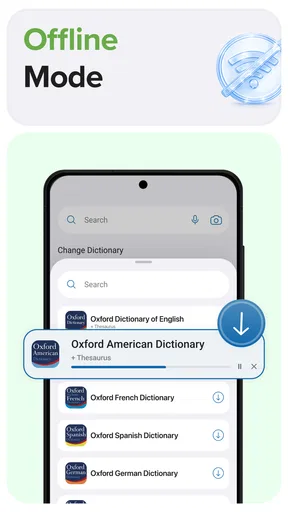
Another highlight is the offline access. This means you can use the app without any internet connection, which is perfect for those moments when you’re off the grid but still need to look up a word. Trust me, this feature is a lifesaver during those Wi-Fi-less moments.
Offline lookup is particularly handy on a commute, while travelling, or in a place where reception is unreliable. It also makes the app a more dependable companion for reading away from home: I don’t have to interrupt the page I’m on just to wait for a connection. If you mainly want occasional lookups, though, a browser dictionary may be enough when you have steady internet and don’t mind leaving your current task.
As a Books & Reference app from MobiSystems, it is aimed at more than one kind of reader. A student can check a definition while studying, a writer can compare synonyms, and someone learning English can use examples to see how a word works in a sentence. Its age rating is Everyone, but that alone does not make every entry effortless for every reader; unfamiliar vocabulary can still call for careful reading and context.
Motor and sensory considerations
The straightforward layout and direct search suit short, deliberate sessions. I can open the app, look up a term, and get back to what I was doing without needing to learn a complicated workflow. Predictive text also helps reduce the effort of typing a complete spelling when I am uncertain about it. These are practical conveniences, though I would not assume they resolve every access need.
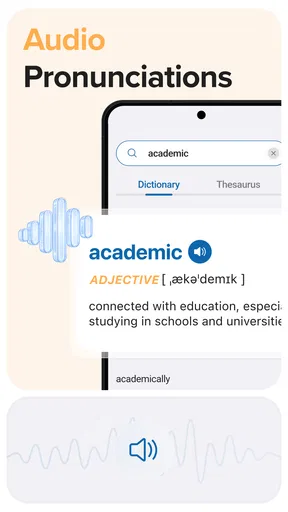
Voice pronunciation can be useful when a word is unfamiliar, but I would treat it as a guide rather than the final authority on accent or nuance. The spoken form may not match the variety of English a learner hears in daily life, and the app’s written examples remain important for understanding usage. If hearing a word is central to your learning, compare what you hear with trusted speakers or other learning materials rather than relying on one pronunciation alone.
For readers who prefer to work through text at their own pace, definitions and examples provide a written route into a word’s meaning. On the other hand, someone who depends on a particular display, assistive setup, or highly customized reading experience should try the app on their own device before building it into a daily routine. A clean interface is a welcome start, but personal comfort depends on more than a first impression.
Where the trade-offs show
While the Oxford Dictionary & Thesaurus app is packed with features, there are a couple of things that could use some polishing. For starters, the free version includes ads, which can be a bit distracting. If you’re someone who gets easily annoyed by pop-ups, you might want to consider the premium version.
The app is free to download, with in-app purchases listed from $0.99 to $39.99 per item. That gives you a way to try the basic experience before deciding whether to spend anything, but the purchase range is broad enough that I would check what a particular option includes before paying. If your needs are limited to occasional word checks, the free version may be sufficient; if ads interrupt your concentration, that friction could matter more than the convenience of having both reference tools together.
Additionally, some users might find the voice pronunciation feature a bit lacking. It’s not bad, but it doesn’t always capture the nuances of different accents. However, if you’re primarily using the app for written language, this might not be a dealbreaker.
There is also a difference between a word reference and a full writing assistant. This app can help me understand a term or consider alternatives, but I still need to decide which word fits the sentence, audience, and tone. A web search can be better when I need current examples from many sources, while a dedicated language course is a better fit for structured lessons and progress over time. For checking meaning and exploring related words, keeping those functions together is the app’s stronger case.
Who will get the most from it?
Oxford Dictionary & Thesaurus has a 4.3 average from around 537,000 ratings, and it has been installed over 50 million times. Those figures suggest a widely used reference, but I’d still choose based on what I need from it rather than popularity alone. The app is a good match if I regularly read in English, want help choosing words, or prefer a dedicated reference over searching the web for every small question.
It may be less suitable if you want a highly guided language-learning program, extensive writing feedback, or pronunciation tailored to a particular accent. It is also not my first choice when I need information that changes quickly: a dictionary is designed to explain language, not to replace a general search for recent facts. Knowing that boundary helps keep the app useful instead of expecting it to do every language-related job.
The current version is 15.9.1144, and the app runs on Android 8.0 or later. It was released on March 28, 2013, and is still a familiar option in the mobile reference space. For anyone choosing between this and a free browser lookup, the deciding question is simple: do you want a focused dictionary and thesaurus ready on your device, including offline use, or is an occasional online search enough?
A practical companion, with clear limits
Overall, the Oxford Dictionary & Thesaurus app is a solid choice for anyone who loves the English language. It’s comprehensive, easy to use, and offers a wealth of information right at your fingertips. Whether you’re a student, a writer, or just someone who loves words, this app is definitely worth checking out.
I’d recommend trying it during the kind of task you actually do: reading a book, revising a paragraph, or checking a word you heard but cannot spell. Pay attention to whether the navigation feels comfortable, whether the ads bother you, and whether the written entries give you enough context. That short trial will tell you more than a long list of features about whether it fits your habits.
So, if you’re ready to dive into the world of words, why not give the Oxford Dictionary & Thesaurus app a try? It might just become your new favorite language companion.
Pros
- Comprehensive word database
- Easy-to-navigate interface
- Offline access available
- Regular updates with new words
- Includes pronunciation guides
Cons
- Requires significant storage
- Some features need premium
- Occasional ads in free version
- Interface may feel outdated
- Limited customization options
FAQs for Oxford Dictionary & Thesaurus
What features does the Oxford Dictionary & Thesaurus app offer?
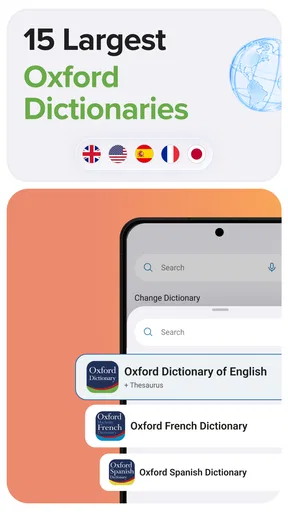
The Oxford Dictionary & Thesaurus app provides comprehensive definitions, translations, and synonyms for a wide range of words. Users can access pronunciation guides, example sentences, and word origin information. The app also features a search history, allowing users to track previously looked-up words, and offers offline access for use without an internet connection.
Is the app available offline, and how does it work?
Yes, the Oxford Dictionary & Thesaurus app offers offline functionality. Once the app is downloaded and set up, users can access the full range of dictionary and thesaurus entries without needing an internet connection. This feature is particularly useful for users who travel or have limited internet access.
Are there any subscription fees or in-app purchases?
The Oxford Dictionary & Thesaurus app is free to download, but it offers in-app purchases for additional features. Users can opt for a premium subscription to unlock advanced features such as removing ads, accessing additional language packs, and using the advanced search tools. Pricing details can vary, so checking the app store for the most current information is recommended.
How user-friendly is the app for non-native English speakers?
The app is designed with non-native English speakers in mind, offering translations and pronunciation guides to assist with understanding. The interface is intuitive and supports multiple languages, making it accessible to a broad audience. Additionally, example sentences and word usage tips help users expand their vocabulary effectively.
Can the app help improve my vocabulary and language skills?
Absolutely. The Oxford Dictionary & Thesaurus app is a valuable tool for improving vocabulary and language skills. With features like word of the day, quizzes, and detailed word explanations, users can enhance their language proficiency over time. The app’s educational content is designed to engage and challenge users, making learning both effective and enjoyable.


